


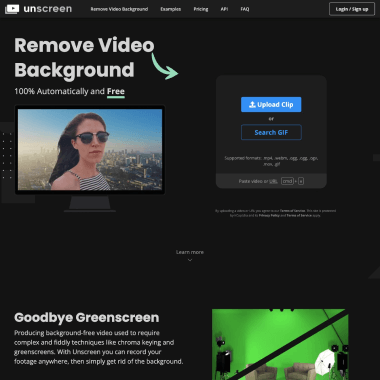
产品介绍
产品是什么
AI智能视频背景移除工具
如何使用
1. 访问 Unscreen 官网 (https://www.unscreen.com),上传需要移除背景的视频或 GIF 文件。
2. 系统将自动处理视频,移除背景并生成透明背景或你选择的纯色/动态背景预览。
3. 预览效果满意后,选择所需的输出格式和质量,点击下载按钮保存处理后的文件。
核心功能
Removes video backgrounds automatically without a green screen
Processes clips up to 30 seconds for free in HD quality
Offers manual frame-by-frame editing for precise background cleanup
Provides multiple output formats including transparent WebM and MP4 with new backgrounds
Allows instant background replacement with colors, images, or videos
目标用户
视频内容创作者社交媒体运营者电商产品展示者在线教育讲师个人娱乐爱好者
使用场景
为电商产品视频去除杂乱背景
为在线课程讲师制作透明背景视频
为社交媒体动态创建创意GIF贴纸
为演示文稿制作专业透明背景素材
为个人Vlog制作电影感片头效果
价格方案
默认方案
free